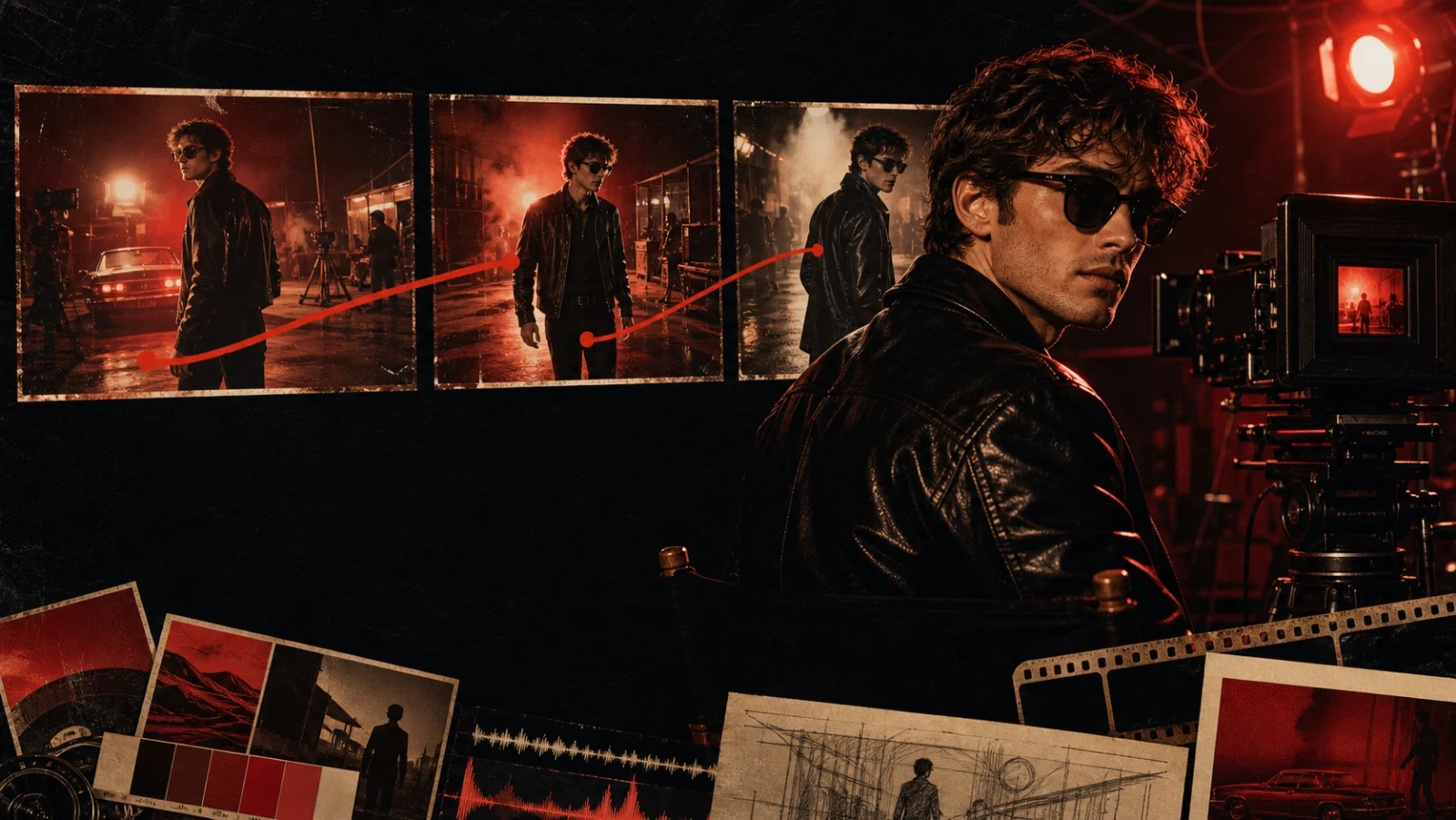
AI video is moving past the “one lucky clip” era. The new question is not simply whether a model can make a beautiful shot. It is whether a creator can direct a complex scene, keep it coherent, revise one detail, and repeat the result inside a real production workflow.
That is the promise behind Seedance 2.5. On Dreamina, the model is presented as a production-oriented AI video generator that can combine text, images, video, audio, scripts, and style references. It supports Seedance text-to-video, image-to-video, and reference-to-video workflows while putting more emphasis on control and continuity.
This guide breaks down the four Seedance 2.5 features that matter most to filmmakers, music-video creators, advertisers, and short-form storytellers—and shows how to prepare references that a video model can actually use.
Availability note: Feature descriptions in this article reflect Dreamina's published Seedance 2.5 materials as of August 7, 2026. Beta duration, editing, and input limits may vary by region, account, and product rollout. Drama.Land's current public Seedance workflow uses Seedance 2.0; check the model selector for the latest availability.
Seedance 2.5 Features at a Glance
| Feature | What it does | Why it matters |
|---|---|---|
| R2V scene references | Uses green-screen footage or neutral model references to guide motion, position, and interaction | More directable multi-character action |
| Longer generation | Up to 30 seconds in standard mode; a beta workflow is described up to 180 seconds | Fewer continuity breaks between short clips |
| Up to 50 inputs | Combines prompts, scripts, photos, clips, music, and style guides | Creative direction can live in one multimodal brief |
| Region-level editing | Changes a selected object, character detail, or area without rebuilding the entire shot | Faster iteration with less collateral drift |
The common thread is control. Instead of asking a prompt to carry every creative decision, Seedance 2.5 lets references carry the information they communicate best.
1. Guide Complex Scenes with R2V References
Text is good at describing intent: “two dancers cross as the camera arcs clockwise.” It is less reliable at specifying exact body timing, spacing, blocking, or contact between characters.
R2V—reference-to-video—adds a motion blueprint. Dreamina describes a workflow in which green-screen footage or a plain white model reference can guide character movement, spatial location, and interaction. The reference does not need to look like the final film. Its job is to make the choreography legible.
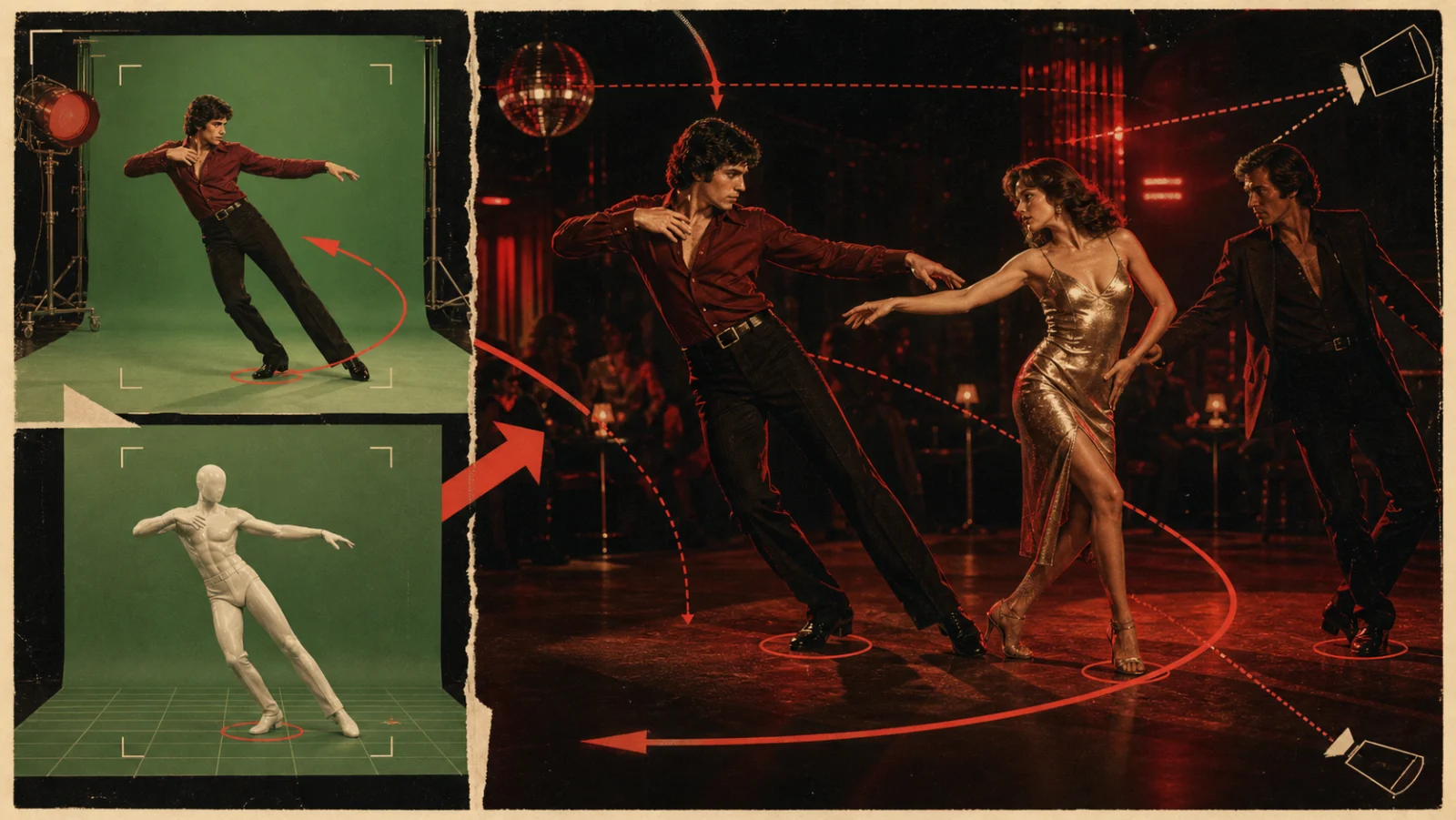
Editorial concept illustration: the reference layer defines movement and spacing; the output layer defines character, style, and world.
How to prepare a useful R2V reference
- Make silhouettes easy to read. Separate arms, props, and bodies instead of letting them overlap.
- Keep the camera relationship clear. If the final shot should track left, record the reference with the same screen direction.
- Mark interactions. A handoff, collision, embrace, or coordinated turn should happen visibly in the reference clip.
- Use the prompt for appearance, not choreography. Describe wardrobe, location, light, lens, and mood while the reference supplies the movement.
- Test the hardest beat first. Validate the most complicated two or three seconds before committing to a longer generation.
This approach is especially useful for dance videos, action blocking, product demonstrations, fashion films, and multi-character narrative scenes. It replaces a vague instruction with an observable path.
2. Generate 30-Second AI Videos with More Stable Continuity
Most AI video workflows are built from short shots. That can work for fast edits, but it makes dialogue, choreography, camera movement, and emotional progression harder to maintain. Every new generation is another opportunity for the character's face, wardrobe, lighting, or geography to drift.
Seedance 2.5 is described as generating cinematic videos up to 30 seconds in standard mode. Dreamina also describes a beta long-video workflow extending up to 180 seconds. The meaningful upgrade is not duration alone—it is the model's attempt to preserve identity, light, motion, and scene logic over a longer timeline.
What continuity should you inspect?
- Identity: face, hair, age, body proportions, and wardrobe details
- Space: which side of the frame a character occupies and where objects are placed
- Light: source direction, color temperature, and shadow behavior
- Motion: speed, momentum, gait, and camera direction
- Story: cause and effect between the beginning, middle, and end of the shot
Longer does not automatically mean better. A 30-second clip still needs a clear internal rhythm. Write it like a tiny scene:
0–5s: establish the room and protagonist. 5–18s: one continuous action with a motivated camera move. 18–26s: reveal or emotional turn. 26–30s: hold a clean ending frame for the edit.
That simple timeline gives the model checkpoints without turning the prompt into a screenplay it cannot prioritize.
3. Combine Up to 50 Multimodal References
Seedance 2.5 can reportedly accept up to 50 multimodal inputs, including text prompts, scripts, photos, video references, music, and style guides. This turns the generation request into something closer to a creative brief.
But 50 inputs are not 50 equally important instructions. Throwing more references into a project can create contradictions. A better approach is to organize them by role.
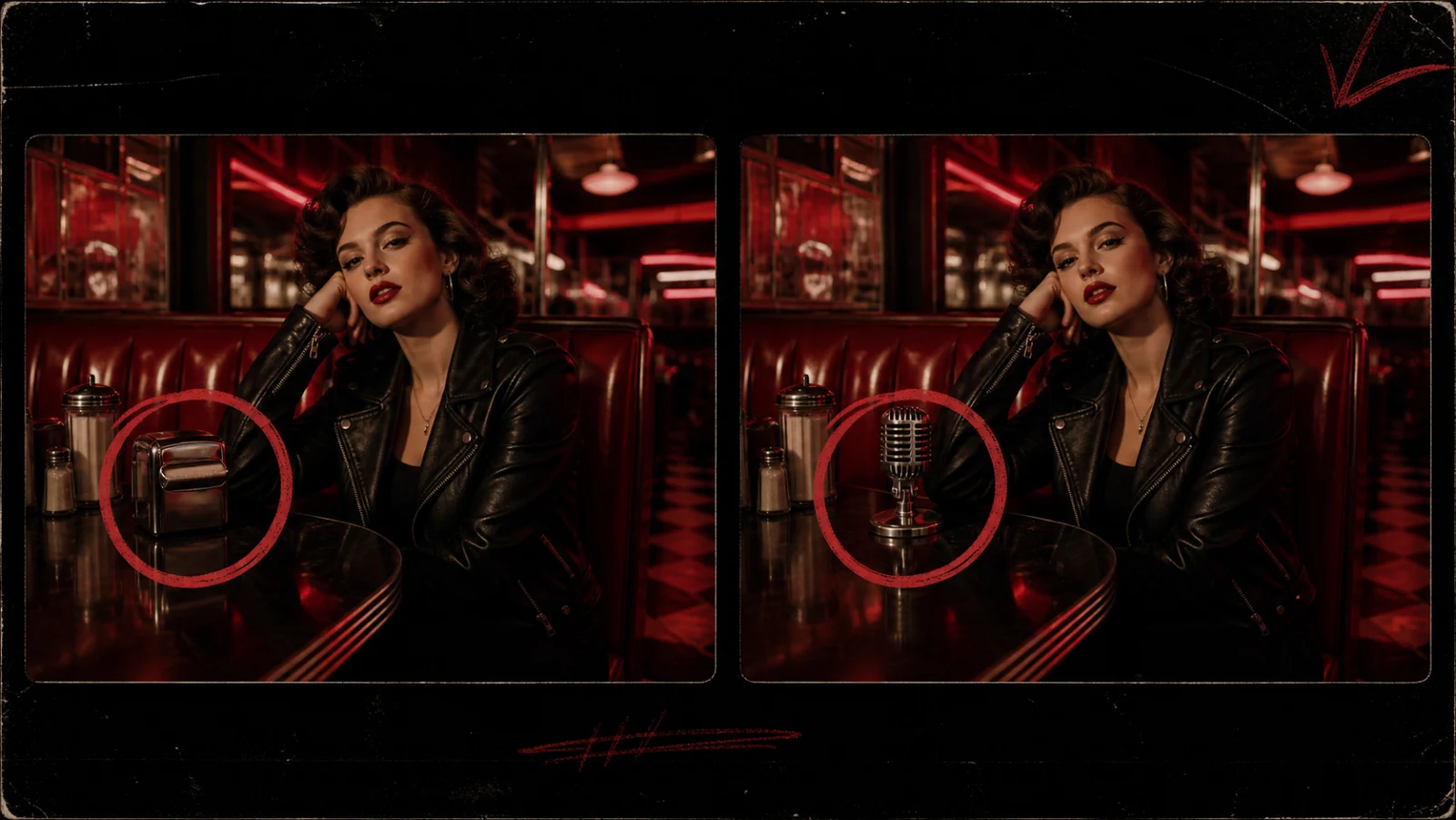
Editorial concept illustration: different reference types should reinforce one creative direction, not compete for attention.
A four-layer reference hierarchy
| Layer | Suggested inputs | Main job |
|---|---|---|
| Anchor | 2–4 clean character or product images | Protect identity and key design details |
| Structure | Script, shot list, storyboard, motion clip | Define what happens and when |
| World | Location, prop, wardrobe, and lighting references | Build a coherent visual environment |
| Finish | Music, color palette, lens, texture, and style board | Shape rhythm and final aesthetic |
Remove duplicates. Label references clearly. If two images disagree about a character's jacket or a room's layout, decide which one wins before generation.
For music videos, the hierarchy might be: artist identity → performance motion → song section → red-and-black visual board. For an ad, it might be: product packshot → hand interaction → storyboard → brand light and texture.
4. Edit Specific Video Regions Without Full Regeneration
Traditional generation is expensive in a subtle way: a small correction can destroy everything that was already working. Ask to replace one prop and the lighting changes. Fix a hand and the camera timing shifts. Change a logo-free package and the actor becomes someone else.
Seedance 2.5's region-level editing is designed to isolate the correction. According to Dreamina's overview, creators can replace an incorrect object, refine a character detail, or modify part of a scene while preserving the broader composition, motion, audio, and timeline.
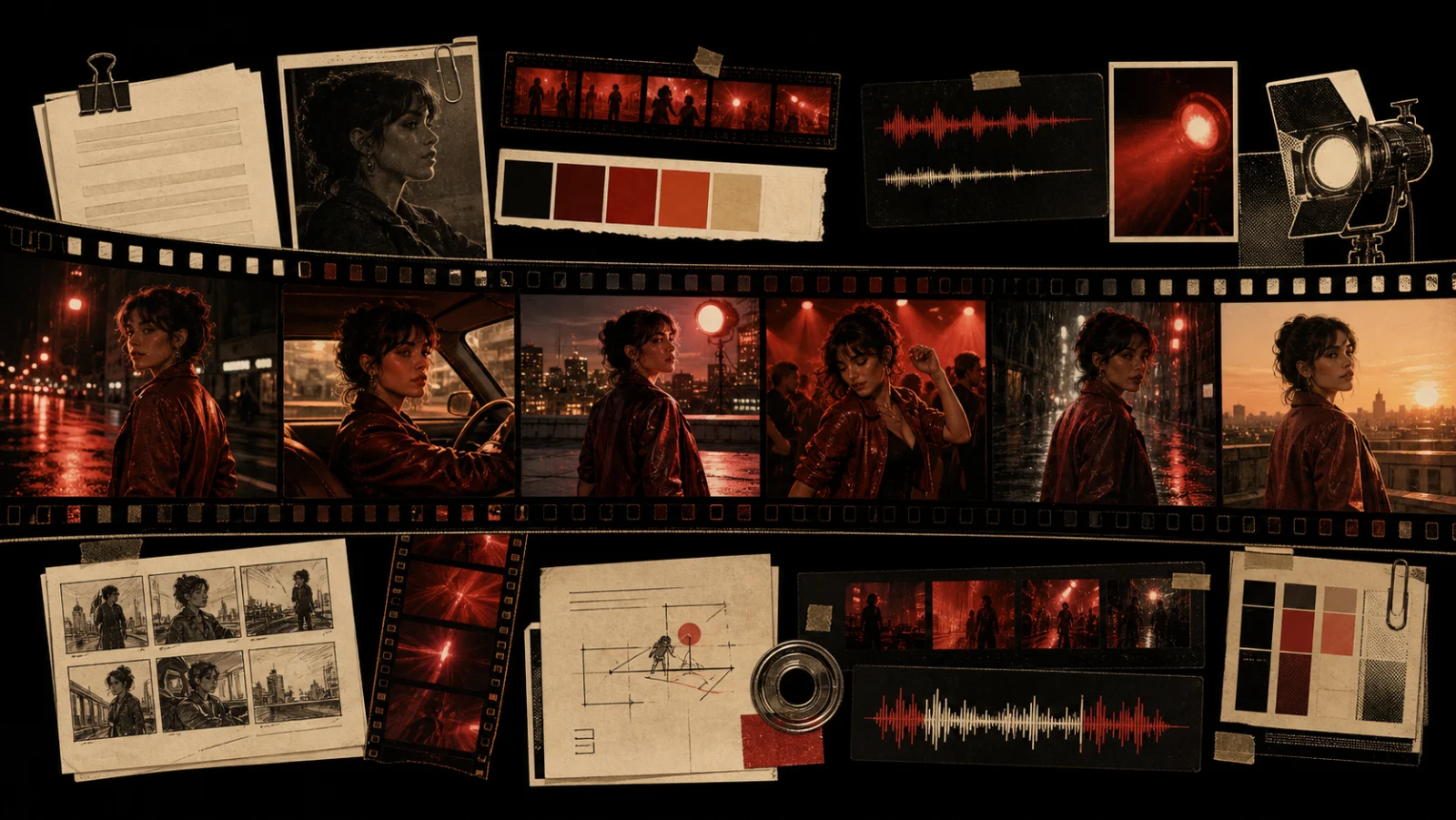
Editorial concept illustration: the selected region changes while the camera, actor, light, and timeline remain stable.
A practical local-editing instruction
Use three parts:
- Selection: identify the smallest region that contains the problem.
- Replacement: state exactly what should appear there.
- Preservation: name what must remain unchanged.
Example:
Replace only the chrome napkin dispenser inside the selected tabletop region with a 1970s silver broadcast microphone. Preserve the actor, hand position, red neon reflection, camera movement, depth of field, audio, and timing.
“Preserve” clauses matter. They transform an open-ended remake into a bounded post-production task.
Seedance 2.5 vs. Seedance 2.0
Seedance 2.0 established the multimodal foundation: creators could combine images, video, audio, and text to guide motion, rhythm, and character consistency. Seedance 2.5 pushes that idea toward longer scenes, richer reference packages, R2V blocking, and more selective revision.
| Workflow question | Seedance 2.0 focus | Seedance 2.5 direction |
|---|---|---|
| How do I guide the shot? | Multimodal image, video, and audio references | More structured R2V motion and spatial guidance |
| How long can one idea run? | Short-form clip generation | Up to 30 seconds standard; longer beta workflow described |
| How much context can I provide? | A focused multimodal reference set | Up to 50 mixed creative inputs |
| How do I fix one mistake? | Adjust inputs and regenerate | Select and edit a specific video region |
This is an evolution from generating a shot to managing a shot.
A Production-Ready Seedance Workflow
Step 1: Write the creative rule
Summarize the piece in one sentence: subject + action + world + camera + emotional result.
A leather-jacketed singer crosses a rain-soaked 1970s diner as the camera tracks backward, ending on a defiant close-up under red neon.
Step 2: Build the anchor pack
Choose a small set of clean identity, wardrobe, product, or environment references. These are the facts that should not drift.
Step 3: Add motion only where text is ambiguous
Use an R2V clip for choreography, physical interaction, or a very specific camera relationship. Do not add a motion reference just because the input limit allows it.
Step 4: Time the scene
Break a longer shot into beginning, development, turn, and ending. Align important moments with the music or dialogue.
Step 5: Generate, diagnose, then edit locally
Separate structural problems from local problems. If the whole scene is wrong, revise the reference hierarchy. If one object or detail is wrong, use a bounded region edit.
Step 6: Finish in an editing timeline
Check continuity at cut points, normalize audio, add titles and captions, and export platform-specific versions. AI generation can produce the shot; editorial judgment produces the film.
Seedance 2.5 Prompt Template
Subject and identity:
[Who or what must remain consistent]

Scene and action:
[What happens, in chronological order]

R2V / motion reference:
[Which reference controls body movement, blocking, or camera path]

Visual direction:
[Era, location, wardrobe, light, lens, texture, color palette]

Timeline:
[0–5s setup] [5–18s action] [18–26s reveal] [26–30s end frame]

Audio and rhythm:
[Music section, dialogue, impact moments, ambience]

Preserve:
[Identity, product shape, lighting direction, composition, audio, timing]

Avoid:
[Contradictory motion, extra characters, text, logos, anatomy errors]
Treat this as a hierarchy, not a shopping list. The most important references should be the cleanest and least contradictory.
Who Should Use Seedance 2.5?
- Music-video creators: choreography references, beat-aware timing, and identity continuity
- Short-drama teams: longer narrative beats and multi-character blocking
- Advertisers: product consistency and targeted object correction
- Fashion and beauty creators: controlled movement, wardrobe references, and stable faces
- Previsualization teams: fast exploration from scripts, storyboards, and motion studies
The model is most valuable when a project has a clear creative direction and the cost of random regeneration is high.
Frequently Asked Questions
What is Seedance 2.5?
Seedance 2.5 is an AI video generation workflow presented on Dreamina for text-to-video, image-to-video, and multimodal reference-to-video creation. Its headline capabilities focus on structured scene control, longer continuity, larger reference sets, and local editing.
Can Seedance 2.5 generate a 30-second video?
Dreamina describes standard-mode generation up to 30 seconds and a beta long-video workflow up to 180 seconds. Actual duration options may depend on the current rollout, region, and account.
What does R2V mean in Seedance 2.5?
R2V means reference-to-video. A green-screen performance, neutral model clip, or other motion reference guides choreography, position, interaction, or camera behavior more directly than text alone.
Can Seedance 2.5 use images, videos, music, and scripts together?
Yes. Dreamina's published materials describe support for up to 50 multimodal inputs, including prompts, scripts, photos, video, music, and style references.
Does local editing keep the rest of the video unchanged?
It is designed to preserve the rest of the shot, but creators should still review identity, shadows, reflections, motion, audio, and cut points after every edit. “Local” reduces unintended change; it does not remove the need for quality control.
Is Seedance 2.5 available on Drama.Land now?
At publication, Drama.Land's public workflow lists Seedance 2.0. This article explains Seedance 2.5's emerging production workflow without claiming a Drama.Land 2.5 launch. Visit the tool page or model selector for the latest availability.
Start Building the Workflow Today
You do not need to wait to adopt the production habits behind Seedance 2.5: create a reference hierarchy, direct motion visually, plan continuity, and separate full-scene revisions from local fixes.
Try Seedance 2.0 on Drama.Land →
Or open the Drama.Land AI Video Studio to explore the latest available video models.